
Uphold: Buy BTC, ETH and 300+
UpholdFinance
4.48.35K Reviews
- Version
- 6.103.0
- Installs
- 5.00M
- Age Rating
- Everyone
Screenshots
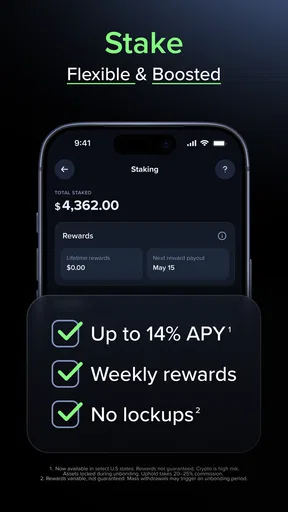
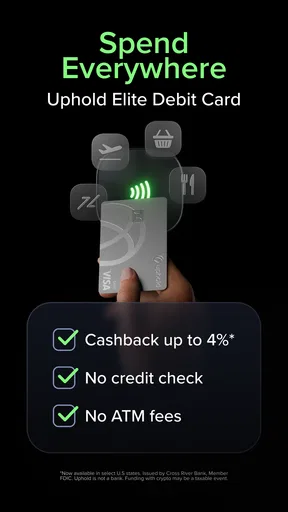
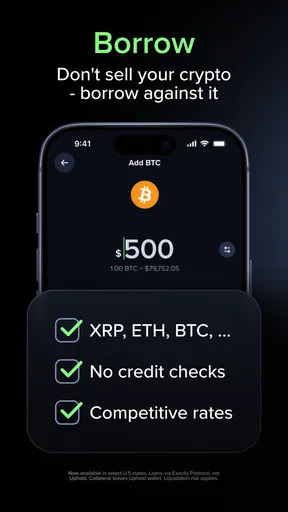
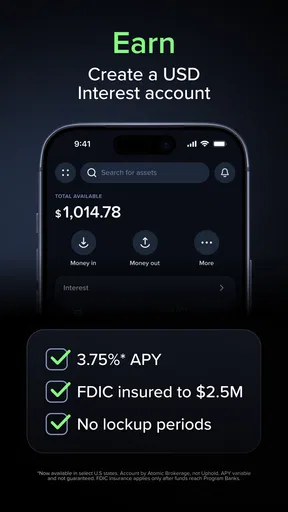
Our Review of Uphold: Buy BTC, ETH and 300+
 Analysis by Appyee
I see Uphold as a convenient way to bring several kinds of financial activity into one app, especially if crypto is your main interest but you also want room to explore other assets. That breadth is its clearest appeal, though it also means the app suits curious, self-directed users better than anyone looking for a simple savings account or a hands-off investment plan. Before I’d use it regularly, I’d take time to understand the costs and risks of each transaction rather than assuming that an easy interface makes every trade straightforward.
What to check before making your first trade
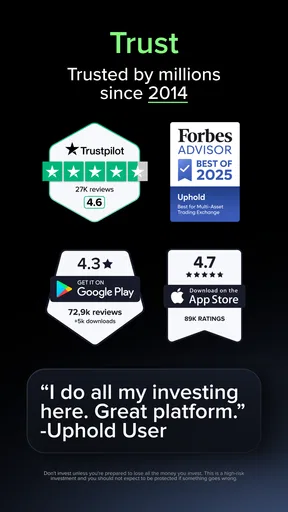
Uphold is a finance app developed by Uphold. It’s free to download, rated for Everyone, and has a 4.5 average from around 72,000 ratings. That gives a useful sense of how widely it’s used, but it doesn’t tell me whether a particular asset or transaction is right for me. I’d treat the rating as a sign of broad interest, not as a substitute for checking the details that matter to my own account.
The first practical step is to decide what you want the app to do. If you’re only hoping to buy a cryptocurrency occasionally, a large selection may be less important than understanding how a purchase is priced and what it costs to move or sell assets later. If you expect to use several asset types, having them in one place may be more appealing. Either way, I’d read each confirmation screen carefully and keep a record of what I bought, when, and why.
A broader toolbox, with more decisions attached
The app’s range can help when you want to compare assets without switching between multiple services. It can also make exploration tempting: a long menu of currencies invites browsing, but availability alone is not a reason to buy. I’d start with a short watchlist of assets I understand, then learn how the app presents their prices and transaction terms before placing an order. That keeps curiosity from turning into hurried spending.
Its mix of cryptocurrencies and traditional assets is also a trade-off. A single interface can make a personal portfolio easier to review, but it doesn’t remove the differences between asset classes. Crypto can move sharply, while stocks and commodities have their own risks and market behavior. I’d avoid treating the combined portfolio as one undifferentiated balance; decide what each holding is for and whether it still fits your plan.
Who is likely to get the most from it?
I’d consider Uphold if I wanted a mobile-first place to explore crypto, keep an eye on more than one kind of asset, and make my own decisions. It may be particularly useful for someone who already understands that prices fluctuate and who is willing to check transaction details instead of tapping through by habit. The app has more than five million installs, and its current version is 6.76.1; it requires Android 8.0 or later. Those details make it easier to judge basic compatibility, but they don’t say anything about whether the service matches your financial needs.
For a realistic routine, imagine setting aside a small amount on payday for a recurring purchase, then reviewing the account later rather than reacting to every market move. Uphold’s recurring-transaction option may help make that routine consistent. I’d still check the amount, schedule, and terms before enabling it, and revisit the setup if my budget changes. Automation can prevent missed contributions, but it can also repeat a decision after the reason for making it has changed.
Where another kind of service may be better
Compared with a crypto-only exchange, Uphold’s appeal is its broader mix of assets in one app. A specialist exchange may be a better fit if your priority is a focused trading setup and you have compared its available tools and costs. Compared with a bank or a conventional investment platform, Uphold is more oriented toward digital assets and active choices; it should not be treated as a replacement for everyday banking or a diversified, professionally managed portfolio.
I’d also be cautious about assuming that transfers are always cheap just because the app describes international sending as low-fee. Costs and conditions can vary by transaction, so check the amount you’ll receive and any charges shown before confirming. The same careful approach applies to buying and selling: a smooth flow is convenient, but it isn’t a guarantee of the best price or the lowest total cost.
Getting Started with Uphold
First things first, downloading Uphold: Buy BTC, ETH and 300+ is a breeze. It's available on both Android and iOS, so you can grab it from your respective app store. Once installed, setting up an account is pretty straightforward. You'll need to provide some personal information for verification, which, let's be real, is standard procedure for any financial app these days.
What I loved right off the bat was the clean and user-friendly interface. The design is sleek and intuitive, making it easy to navigate even if you’re new to the crypto scene. Everything you need is pretty much at your fingertips, from checking your portfolio to making transactions. It's like having a crypto exchange in your pocket.
Diving into the Features
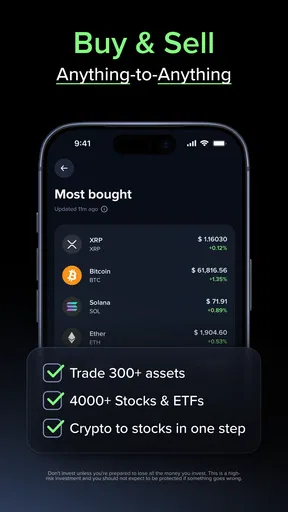
Now, let’s talk about what you can do with Uphold. This app supports a whopping 300+ currencies. Yep, you read that right. Whether you’re into Bitcoin, Ethereum, or some of the lesser-known altcoins, Uphold has you covered. It's a veritable buffet of cryptocurrencies, and exploring all the options can be quite the adventure.
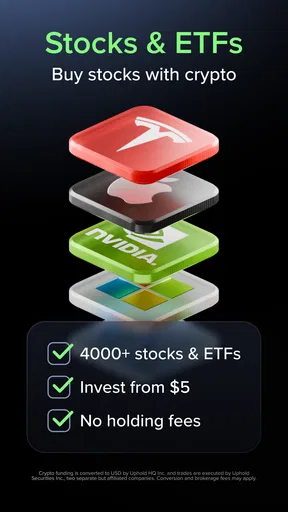
One of the standout features for me is the ability to trade not just cryptocurrencies, but also traditional assets like stocks and commodities. It’s like having a mini Wall Street on your phone. The app also allows you to send money across the globe with minimal fees, which is a huge plus if you have friends or family overseas.
Security is obviously a big deal when it comes to handling digital assets, and Uphold doesn’t disappoint. They use top-notch security measures, including two-factor authentication, to keep your funds safe. It gives you that extra peace of mind knowing your investments are well-protected.
User Experience and Performance
So, how does the app perform in the real world? In my experience, transactions are quick and seamless. Whether you're buying, selling, or transferring funds, the process is smooth and efficient. The app also provides real-time market data, which is super handy for making informed decisions on the fly.
Another cool feature is the ability to set up recurring transactions. This is perfect for those who want to invest a set amount regularly without having to think about it. It’s a great way to build up your portfolio over time without the hassle of manual transactions.
Practical choices for cautious users
One useful way to approach a broad asset menu is to separate research from action. I’d browse and note what interests me, then return later to place a trade only after I’ve considered the amount and purpose. That small pause matters in an app built for quick access: it helps keep a passing price move or an unfamiliar coin from becoming an impulsive purchase.
If I were using recurring transactions, I’d treat them as a calendar reminder rather than a set-and-forget investment strategy. I’d periodically confirm that the schedule still suits my budget and that the asset still belongs in my plan. This is especially relevant when a portfolio includes volatile cryptocurrencies alongside traditional assets; regular buying can smooth the routine, but it cannot remove market risk.
For someone sending money abroad, I’d compare the final amount received rather than judging a transfer by a low-fee description alone. Before confirming, check the displayed transaction details and make sure the recipient information is correct. If the transfer is urgent or the amount is significant, I’d favor clarity over speed and verify the arrangement through a separate channel with the recipient.
What the convenience does not solve
Easy navigation lowers the learning curve, but it can also make financial choices feel simpler than they are. A clean portfolio view is useful for monitoring holdings; it does not explain whether those holdings are suitable, how much risk they carry, or whether buying now fits your circumstances. I’d use the market data as context, not as a prompt to trade every time the screen changes.
It’s also worth separating account security from investment safety. Two-factor authentication can add a protective step when accessing an account, but it cannot prevent an asset from losing value or make a careless transfer reversible. I’d enable available account protections, use careful sign-in habits, and avoid putting money into an asset simply because the app makes it easy to find.
There are practical reasons to choose a narrower alternative. If you want only a place to hold cash and pay bills, a bank app is more appropriate. If you want a dedicated environment for active crypto trading, compare specialist exchanges on the tools and transaction costs you actually need. If your main goal is long-term investing without frequent decisions, a conventional brokerage or managed option may be a better match than a multi-asset app that encourages hands-on exploration.
Costs, fit, and a sensible first step
Although the app is free to download, that does not mean every activity inside it is free. In-app purchases are listed from $4.99 to $49.99 per item, and transaction terms can depend on what you do. I would check the exact details shown for a purchase, sale, or transfer before committing, rather than estimating costs from the app’s general convenience or assuming one fee structure applies to every asset.
That distinction is one of the most important things to understand before starting. The download price, any in-app purchase, and the terms of a financial transaction are separate questions. I’d review each one in context, especially if making a series of small trades, where costs can matter more than they seem at first. A simple test is to pause at the confirmation stage and ask whether I understand both the amount I’m paying and what I expect to receive.
The app is available on Android and iOS, so it can fit into a mobile routine, but I’d still make decisions somewhere I can concentrate. A phone is handy for checking a balance or reviewing a planned transaction; it is not always the best place to research an unfamiliar asset while distracted. If I’m new to crypto, I’d begin with a modest, deliberate plan and learn the buying and selling flow before considering more complex activity.
Wrapping It Up
All in all, Uphold: Buy BTC, ETH and 300+ is a solid choice for anyone looking to dive into the world of crypto and beyond. Its wide range of supported currencies, combined with the ability to trade traditional assets, makes it a versatile platform. The user-friendly interface and robust security features are just the cherry on top.
If you're looking for an app that simplifies crypto trading while offering a little something extra, give Uphold a shot. It’s like having a financial powerhouse right in your pocket.
My recommendation comes with a clear condition: use the breadth as a convenience, not as a reason to hold assets you don’t understand. Uphold makes sense for a curious user who values a mobile interface and wants crypto alongside other asset types, provided they’re prepared to check transaction terms and accept market risk. If you want a low-effort cash account, professional guidance, or a dedicated specialist trading setup, I’d choose a service designed around that specific need instead.
Verdict
Strengths of Uphold: Buy BTC, ETH and 300+
- Easy-to-use interface for beginners.
- Supports a wide range of cryptocurrencies.
- Instant transactions across assets.
- No fees on internal transfers.
- Integrated security features ensure safety.
Limitations of Uphold: Buy BTC, ETH and 300+
- Higher fees compared to some competitors.
- Limited customer support options.
- Occasional app performance issues.
- Requires ID verification for full access.
- Not all features available in all regions.
Similar Picks in This Category
View All
Google Wallet
Google LLC4.3

Airtel: Recharge, Bank & Loans
Airtel4.0

PayPal - Pay, Send, Save
PayPal Mobile4.2

DANA Indonesia Digital Wallet
PT Espay Debit Indonesia Koe4.5

Binance: Buy Bitcoin & Crypto
Binance Inc.4.8

Cash App
Block, Inc.4.7
Frequently Asked Questions
What features does Uphold offer for managing cryptocurrencies?
Uphold provides a comprehensive platform to buy, sell, and trade over 300 cryptocurrencies, including popular ones like Bitcoin (BTC) and Ethereum (ETH). It also offers features like automated trading, price alerts, and the ability to convert crypto to fiat currencies, making it versatile for both beginners and experienced traders.
How secure is the Uphold app for transactions and storage?
Uphold prioritizes security with robust encryption, two-factor authentication, and cold storage for a majority of its digital assets. They have a transparent operational framework and regulatory compliance which ensures user funds are safeguarded. Regular audits and insurance coverage further enhance security, instilling trust in its user base.
Does Uphold charge any fees for transactions or account maintenance?
Uphold does not charge fees for account maintenance. However, there are fees for certain transactions, such as withdrawing to a bank account or converting one cryptocurrency to another. These fees are competitive and clearly outlined, ensuring users know what to expect before making transactions.
Can I use Uphold for international transactions?
Yes, Uphold supports international transactions, allowing users to send and receive funds in various currencies across borders. This feature is beneficial for global trading and remittances, providing a seamless experience for managing assets internationally without excessive fees.
Is Uphold suitable for beginners in cryptocurrency trading?
Uphold is designed to be user-friendly, making it suitable for beginners. It offers educational resources and an intuitive interface that simplifies the process of buying, selling, and trading cryptocurrencies. Beginners can easily navigate the app and make informed decisions with the help of real-time data and customer support.
